PDF Font Changer
GitHubBatch change the font and size of PDF files with intuitive operations.
About the App
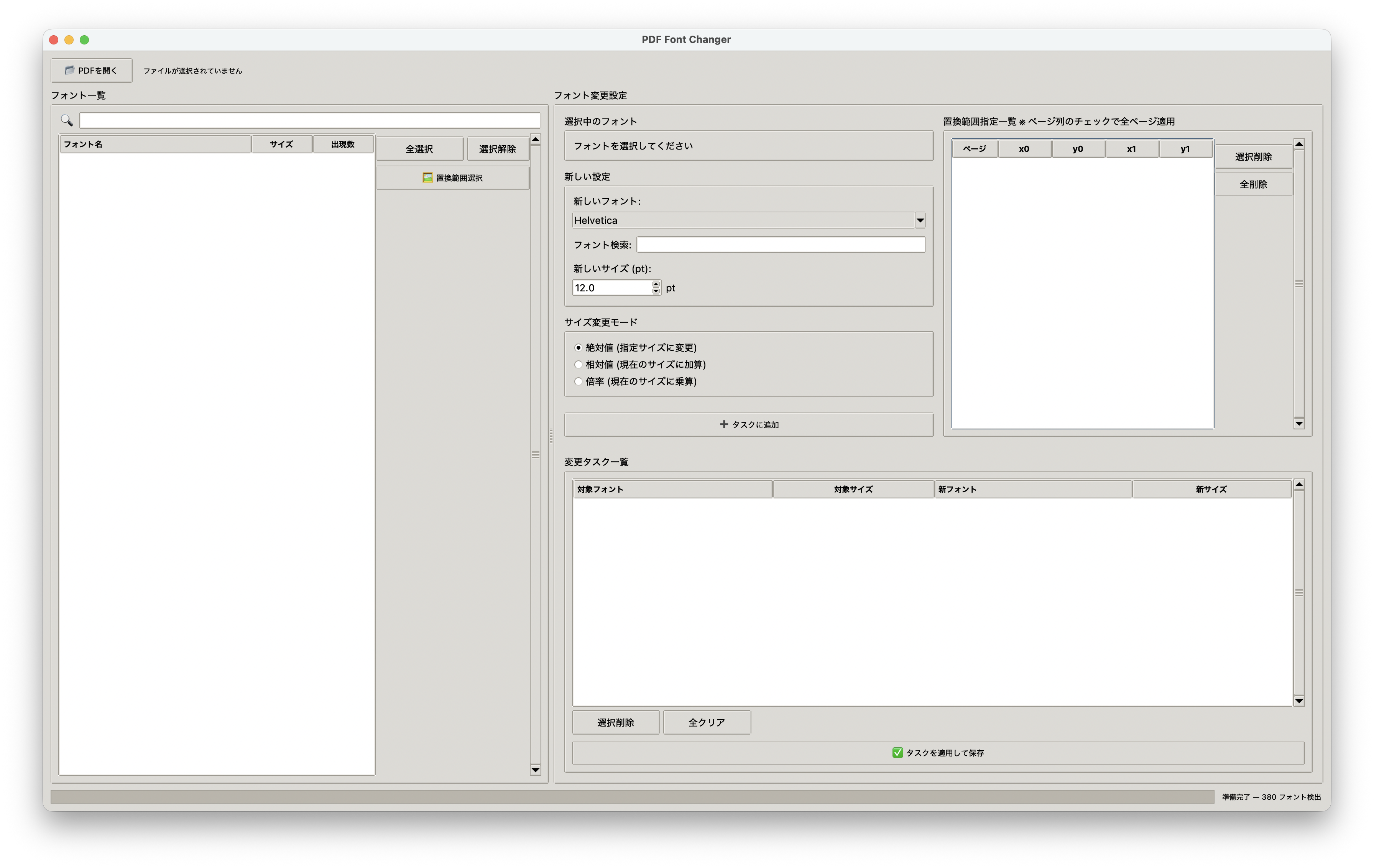
PDF Font Changer is a desktop application that allows you to easily batch change the text font and size in PDF documents. No complicated settings are required, and you can operate it intuitively while checking the preview. It works on major OSes such as Windows, macOS, and Linux without an internet connection.
Main Features
- Font Information Analysis: Displays a list of font names, sizes, and number of occurrences contained in the PDF.
- Real-time Preview: You can edit while checking the changes immediately in the preview.
- Abundant Font Selection: In addition to the 14 standard PDF fonts, all fonts installed on your system are available.
- Flexible Size Change: You can choose from three modes: "Specify by absolute value," "Add/subtract from current size," and "Change by magnification."
- Batch Change of Multiple Fonts: You can change multiple different fonts in a single operation.
- Range Specification Change: You can also select and change the font in only a part of the document.
- Scanned PDF Support (OCR): You can recognize characters in image PDFs using NDLOCR-Lite and change the font based on the recognition results.
- Comfortable Background Processing: The UI operates smoothly without freezing even during heavy processing.
Setup
You need Python 3.10 or higher (3.12 recommended) and a Python environment that supports Tkinter. If you use the OCR function, you will need additional dependency packages for ndlocr-lite (such as onnxruntime). NDLOCR-Lite may not work if placed in a path containing Japanese, so we recommend that the project folder be in a path with only ASCII characters.
# 1. Clone the repository
git clone https://github.com/y-128/PDF-Font-Changer.git
cd PDF-Font-Changer

# 2. Create and activate a virtual environment
# macOS / Linux
python -m venv .venv
source .venv/bin/activate

# Windows (PowerShell)
# .venv\Scripts\Activate.ps1

# 3. Install dependency packages
pip install -r requirements.txt

# 4. Launch the application
python main.py
For more detailed instructions and precautions for each OS, please check the README of the GitHub repository.